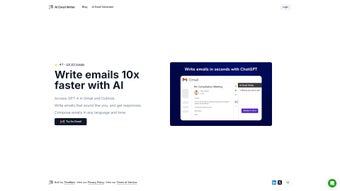

Download ReplyAI – AI‑Powered Email Composer for Faster, Personalized Replies
Overview
ReplyAI is a cutting‑edge, AI‑driven web application that supercharges your email workflow by generating draft replies up to ten times faster than manual typing. Built on large language models comparable to GPT‑4, ReplyAI understands the context of incoming messages, mirrors your unique communication style, and adapts tone, formality, and language to fit each recipient. The tool integrates natively with the most popular email platforms—Gmail, Outlook, and other IMAP‑compatible services—so you can stay within the inbox you already love while enjoying AI‑assisted drafting. Subscription‑based pricing gives you access to continuous model updates, priority support, and a privacy‑first architecture that keeps your email content on secure servers and never sells data to third parties. Whether you’re a busy sales professional, a customer‑support agent, or a student juggling dozens of messages daily, ReplyAI promises a measurable boost in productivity, higher response rates, and a more polished email tone without sacrificing personal authenticity.
Key Features
- AI‑Generated Drafts in Seconds: Leverages a GPT‑4‑level model to suggest complete replies, saving minutes on each email.
- Style & Tone Customization: Choose from casual, professional, friendly, or formal tones; the AI learns your preferences over time.
- Multi‑Language Support: Draft replies in over 20 languages, automatically detecting the language of the incoming message.
- Seamless Gmail & Outlook Integration: Install as a browser extension or connect via OAuth; the AI appears directly inside the compose window.
- Privacy‑First Architecture: End‑to‑end encryption for email content; no data is sold or used for advertising.
- Smart Templates & Snippets: Save recurring responses as reusable blocks that the AI can inject where appropriate.
- Real‑Time Collaboration: Teams can share drafts, approve AI suggestions, and maintain a consistent brand voice.
- Continuous Model Updates: Monthly improvements keep the AI current with language trends and new features.
- Analytics Dashboard: Track response times, draft acceptance rates, and productivity gains.
- 24/7 Support & Knowledge Base: Access live chat, email support, and detailed tutorials whenever you need help.
Installation, Setup & Compatibility
Getting started with ReplyAI is designed to be frictionless, whether you’re on a Windows laptop, a macOS desktop, or a mobile device. Follow these steps for a smooth installation:
- Create an Account: Visit replyai.com and sign up using your email or Google account. A verification link will be sent to confirm ownership.
- Select Your Email Provider: After logging in, click “Connect Email.” Choose Gmail, Outlook, or “Other IMAP” and follow the OAuth prompts. The connection is read‑only for drafting, ensuring no accidental deletions.
- Install the Browser Extension: For Chrome, Edge, or Firefox, click the “Add to Browser” button on the dashboard. The extension injects a “ReplyAI” button into your compose window, ready to generate suggestions.
- Configure Preferences: Open the Settings panel (gear icon). Here you can set default tone, language, and enable/disable auto‑insert of AI drafts. You can also train the model by marking drafts as “Helpful” or “Not Useful.”
- Start Drafting: Open any email thread, click the ReplyAI icon, and watch the AI propose a reply. Edit as needed, then send. The tool learns from each interaction, refining future suggestions.
Supported Platforms: ReplyAI works on any modern web browser (Chrome, Edge, Firefox, Safari) and is fully compatible with Windows 10/11, macOS 12+, Linux (via browsers), as well as mobile browsers on Android 8+ and iOS 13+. There is also a native iOS and Android app that syncs with your web account for on‑the‑go drafting.
System requirements are minimal: a stable internet connection, a recent browser version, and an active email account. Because the AI processing occurs in the cloud, local hardware performance does not impact generation speed.
Pros, Cons & Frequently Asked Questions
Pros
- Drafts emails up to 10× faster, freeing time for higher‑value tasks.
- Customizable tone ensures replies sound like you, not a generic bot.
- Supports multiple languages, ideal for global teams.
- Deep integration with Gmail and Outlook eliminates the need for copy‑paste.
- Strong privacy guarantees with end‑to‑end encryption.
- Continuous AI model updates keep the tool relevant and accurate.
Cons
- Requires an internet connection; offline drafting isn’t available yet.
- Subscription pricing may be a barrier for very small businesses or freelancers.
- Initial AI suggestions may need editing until the model fully adapts to your style.
- Limited to email platforms that support OAuth; some legacy corporate systems need manual IMAP setup.
Frequently Asked Questions
Can ReplyAI access the content of my emails?
Yes, ReplyAI reads incoming messages to generate relevant replies, but all data is encrypted in transit and at rest. The service never sells your content and complies with GDPR and CCPA.
Is there a free trial available?
ReplyAI offers a 14‑day free trial with full feature access. No credit card is required to start, allowing you to evaluate speed and accuracy before committing.
How does the AI handle different languages?
The underlying model is trained on multilingual corpora, enabling automatic detection and generation in over 20 languages. You can also manually set a preferred language in Settings.
Can I use ReplyAI with my corporate Outlook on Exchange?
Yes. ReplyAI supports Outlook via OAuth for Microsoft 365 accounts and can also connect to on‑premise Exchange servers using standard IMAP credentials.
What happens if I’m not satisfied with the AI suggestions?
You can simply edit or discard any draft. The feedback button lets you label a suggestion as “Not Helpful,” which helps the model improve over time. Refunds are available within the first 30 days of subscription.
After a month of daily use, ReplyAI has cut my average response time from 8 minutes to under a minute. The tone customization feels natural, and the multilingual support helped me close deals in French and Spanish without extra effort. The only drawback is the reliance on an internet connection, but given the speed gains, it’s a worthwhile trade‑off.
Conclusion & Call to Action
ReplyAI delivers on its promise of turning email composition from a time‑draining chore into a swift, intelligent process. By blending GPT‑4‑level language understanding with deep integration into Gmail and Outlook, it offers a seamless experience that feels like an extension of your own voice. The privacy‑first stance, multilingual capabilities, and robust analytics make it a compelling choice for professionals seeking measurable productivity improvements.
If you’re ready to accelerate your inbox, reduce repetitive typing, and maintain a polished, personalized communication style, the best place to start is the free 14‑day trial. Simply visit the official website, create an account, and let ReplyAI handle the heavy lifting while you focus on the strategic parts of your work.
Download ReplyAI today, boost your email efficiency, and experience the future of smart correspondence.






